
CryMap
Deutsch English Español Français Italiano Polski Türkçe Nederlands Svenska Dansk Suomi Português Čeština Română Magyar Ελληνικά Українська Русский العربية فارسی עברית 日本語 한국어
Get the app

Emergency preparedness appPrepared for
any emergency.

Emergency supplies, a grab bag, first aid and maps for your household.
It all lives on your phone and works without a connection.

App Store Google Play Offline

Works without a signal Maps and guidance are on the device.
Your data stays private No account. No cloud.
For the whole household Amounts worked out for each person.
Nine situations Checklists for before, during and after.

Simulation

Weigh up a danger
before it arrives.

Run through scenarios and see on your map how far a blast wave, heat radiation and fallout could reach. The figures follow published scaling laws and show orders of magnitude, not predictions.

Get the app
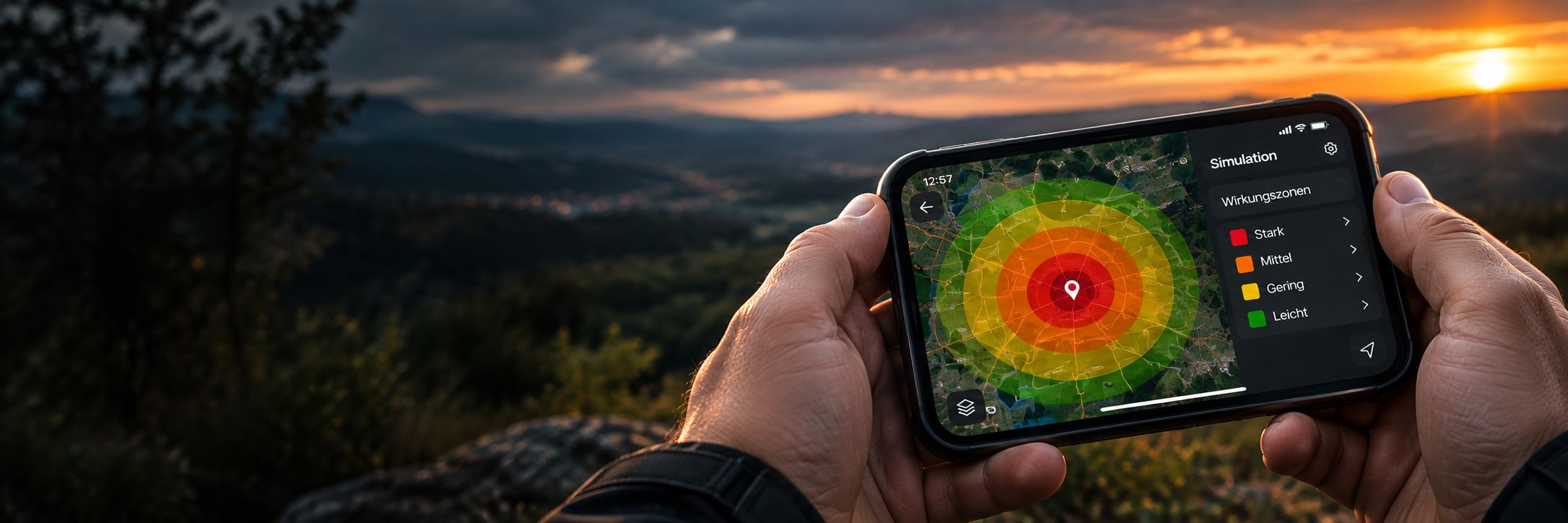
CryMap showing the effect zones of a detonation on the map

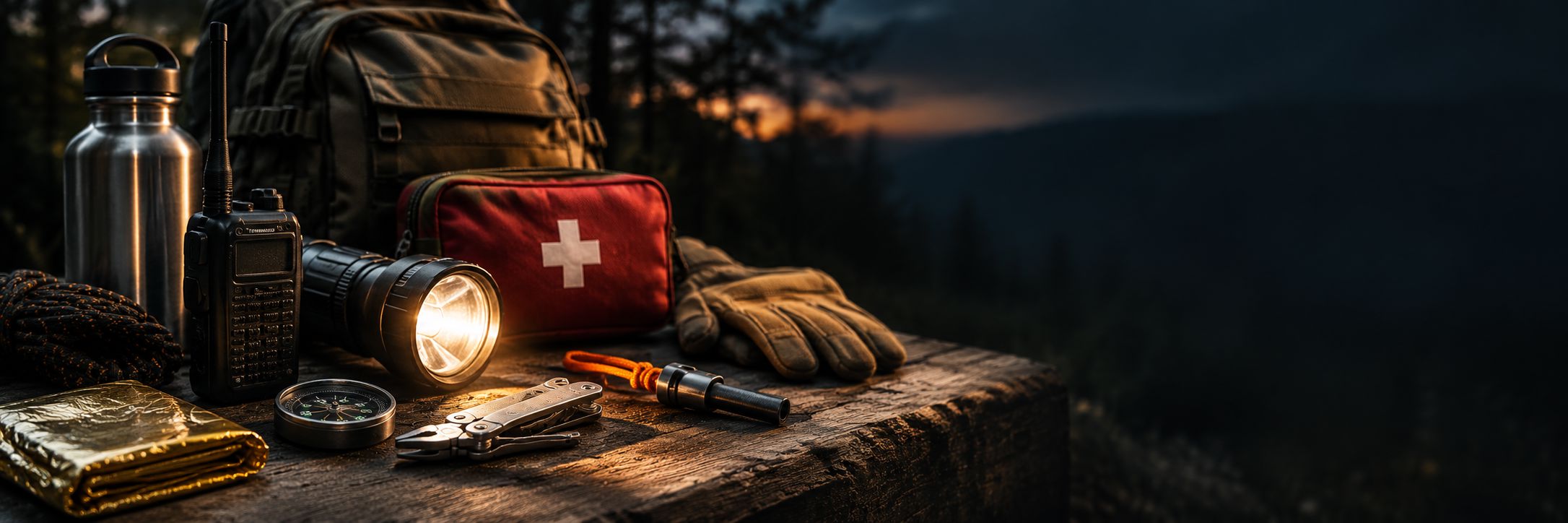
When the power goes, the network often goes with it. That is why everything in CryMap is on your phone.
Privacy

Ready when the network isn't.

All the important information, maps and guides live right on your device – no cloud, no account.

  • No account
  • No cloud
  • No ads
  • Works offline
  • Password protection for documents
  • Data stays on the device

How CryMap works

Set it up once.
Look it up when it counts.

  1. 1

    Set up your household

    Who lives with you, how old they are, which medicines they take, which pets you have. From that, CryMap works out how much water and food you need and narrows the checklists down to what applies to you.

  2. 2

    Load the map and the risks

    The map of your country is downloaded to your device once and stays there. CryMap shows hospitals, pharmacies and, where they are mapped in OpenStreetMap, shelters and assembly points nearby, and points out nuclear power plants and chemical plants in your area.

  3. 3

    Keep supplies and documents up to date

    Whatever is missing goes on the shopping list, and the app tells you what is about to expire. Copies of important documents are kept on your device only.

Every topic of emergency preparedness

Each guide follows official advice and names its sources. What you read there is in CryMap too, without a connection.

Emergency bag

What goes in an emergency bag

The grab bag CryMap packs with you, group by group. In the app the list adapts to your household: how many people, children, pets and medicines, and how much of each.

Papers and keys

  • Document folderID card, health insurance card, vaccination record, medication list, emergency medical card and copies of important documents, in a waterproof pouch
  • Copies of IDOne set per person, kept separately from the originals
  • CashSmall bills and coins, enough for a few days
  • Contact cardImportant numbers and the meeting place on paper, one per person
  • Spare keysFor the home, the car if you have one, and relatives
  • Recent photographsOf every person and pet – useful if you become separated

Water and food

  • Water bottle1.5 liters per person, refillable, packed full
  • Water filterHolds back bacteria and parasites, viruses only if the maker says so – if in doubt, boil as well. It does not help against chemicals or oil
  • Food that needs no cookingFor two days: bars, dried fruit or ready-to-eat meals, about three portions per person a day
  • Dishes and utensilsCup, plate and utensils, one set per person

Clothing

  • Change of clothesPants and top for a few days, one set per person
  • UnderwearTwo sets per person
  • SocksTwo pairs per person – dry feet help prevent blisters
  • Warm clothingFleece or wool, one item per person, suited to the season
  • Rain protectionPoncho or rain jacket – a poncho also covers the backpack
  • Sturdy shoesSturdy, worn-in shoes, ready next to the backpack
  • Work glovesProtect against injury from broken glass and debris
  • Sunscreen and a hatA hat per person, plus sunscreen

Warmth and shelter

  • Emergency blanketLight and compact, prevents loss of body heat – one per person
  • Sleeping bag or blanketFor the night in an emergency shelter
  • TarpAs rain cover, ground sheet or windbreak
  • Sleeping padInsulates against cold from the ground – one per person

Light and battery

  • FlashlightOne per person
  • HeadlampLeaves both hands free
  • Spare batteriesTo fit the flashlights and the radio in the backpack
  • Power bankCharged, with a matching charging cable
  • Small radioBattery or crank powered, for warnings and announcements
  • Cables and chargerTo fit every phone in the household

Tools

  • Knife or multi-toolWith a can opener, for cans and small repairs
  • ParacordAbout ten meters, e.g. for a tarp or a clothesline
  • Duct tapeWound around a pen to save space
  • LightersTwo, packed separately
  • WhistleTo draw attention to yourself – one per person
  • Plastic bagsFor packing clothes, documents and trash watertight
  • Pen and paperFor notes, messages and phone numbers
  • CompassFor finding your way without a phone or network
  • Paper mapMap of the area with the meeting places marked

Hygiene

  • Wet wipesFor personal hygiene where there is nowhere to wash
  • Quick-dry towelSmall and quick-drying, one per person
  • Toothbrush and toothpasteOne set per person
  • Hand sanitizerFor hand hygiene in emergency shelters
  • Toilet paperFlattened to save space, in a waterproof bag
  • Period productsPads or tampons, if needed

Medical

  • First aid kitCompresses, adhesive bandages, tape, disposable gloves and scissors
  • MedicationAll regularly needed medicines, for several days
  • PainkillersFor pain and fever
  • MasksFFP2, two per person, against dust, ash and soot – not against fire gases
  • Spare glasses, hearing-aid batteries, chargersFor every aid in the household: spare batteries and charging cables, plus a walking aid if somebody has to get out quickly

Children and pets

  • Emergency card for childrenName, date of birth and address, e.g. in a neck pouch
  • DiapersFor two days, about eight a day per baby
  • Formula and bottlesMeasured powder portions and water labelled as suitable for infant formula, or boiled – or ready-to-feed milk
  • Stuffed animal or bookHelps children feel secure in unfamiliar surroundings
  • Pet foodFor two days, with a collapsible bowl
  • Leash and harnessKeeps your pet under control in unsettled surroundings
  • Pet carrierOne per pet, ready next to the backpack

Checklist

What to do in a power outage

Before, in the first minutes and in the hours that follow. The same checklist is in the app, to tick off step by step, even without a connection.

A long power outage affects far more than the lights: heating, water supply, payments, fuel and phone networks all depend on electricity.

1Beforehand

  • Install your country's official warning app (in Germany: NINA), allow notifications and keep your phone able to receive alerts at night too
  • Find out your town's help points and emergency meeting points
  • Plan care for relatives who depend on it
  • A flashlight per person and batteries that fit it
  • A radio that runs on batteries or a crank
  • Enough small bills for a few days
  • If you have a car: keep the tank as full as possible
  • Keep the freezer well filled – it stays cold longer

2First minutes

  • Check whether it is only your home: fuse box first, then the street
  • Does anyone depend on a device that needs power (ventilator, oxygen, pump)? Check how long the battery lasts and call the care service or the emergency number early, not when the battery is already empty
  • Switch off stove, oven, iron, kettle and electric blankets
  • Fill containers while there is still pressure in the pipes
  • Keep the fridge and freezer closed
  • Use flashlights – candles and gas lamps only with ventilation, a smoke alarm and a CO alarm
  • Make calls only in an emergency – do not call the emergency number for information
  • Put the phones on the power bank and turn on battery saver
  • Check on neighbors, especially older people and those living alone

3The hours after

  • If you cannot get through to the emergency number: go to the nearest police station, fire station, hospital or your town's help point
  • Use only heaters approved for indoor use, with the room aired and a CO alarm, and never while anyone is asleep in the room. Never heat with a barbecue, gas cooker, oven, camping stove or generator
  • Air out the rooms briefly and regularly
  • One room, several layers of clothing, sleeping bags, door closed
  • Eat what is in the fridge first, then the freezer, then the pantry
  • Listen to the news on the hour – radio usually keeps working longest
  • Medicines that must be kept cold (e.g. insulin): keep the fridge shut. Insulin usually keeps about four weeks at room temperature; protect it from heat and frost. If in doubt, check the leaflet or ask a pharmacy
  • Cash only – terminals and ATMs are down
  • Check reports before you share them: who put them out first, and do reliable sources say the same?

Document vault

Your documents, only on this device

Protect with a password · Scans, numbers and notes are encrypted on this device.

Enter your password once. After that, your fingerprint, your face or this device's PIN opens the vault. It applies to this device only and is not included in any backup.

  • AES-256
  • Never in the cloud
  • Locks itself

Why prepare

Ten days without outside help.

Germany's Federal Office of Civil Protection and Disaster Assistance recommends that every household be able to look after itself for ten days if possible. A supply for three days already goes a long way, and you can build on it step by step. Nobody is talking about a bunker in the basement. It is what an ordinary household can keep in the cupboard anyway: water, food that keeps, your own medicines, a radio that runs without a socket, and your most important documents in one place.

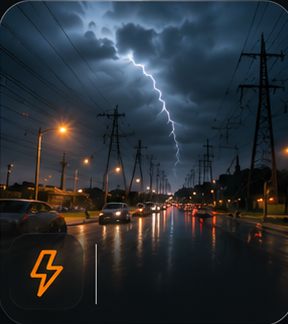
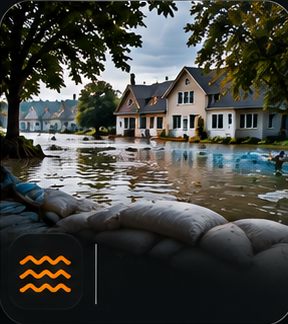
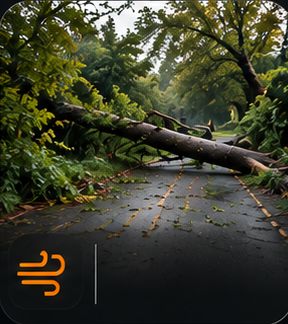
The most likely emergency is an unspectacular one. A storm brings down power lines, a flood closes the roads, an outage knocks out phones, heating and the tills at the supermarket. If you already know what to do and have everything to hand, you get through the first days more calmly and have room to look after others.

CryMap turns that advice into a plan for your household. The app works out how much water and food you need, shows what is missing and what will expire soon, and keeps a checklist and a guide ready for the most common situations, all of which work without a connection. Everything you enter stays on your device.

CryMap Premium

You buy Premium once, not every month.

It unlocks every country and every tool. The essentials stay free: checklists, first aid, crisis mode and the emergency numbers of the country you live in.

  • Every country
  • Offline maps
  • Family & groups
  • Document vault
  • Crisis mode
  • Supplies & emergency bag

Premium · Pay once, use it forever

CryMap keeps growing – everything new is included.Regular updates bring new features, new countries and new knowledge. With Premium you get all of it at no extra cost, for good. The price grows with what CryMap can do: buy now and get everything still to come at today's price.
5% for people in need and for the environment.Every month we give 5% of our profit to charities for humanitarian aid and environmental projects. Once a year we list here which projects were supported.
  • No subscription
  • One-time payment
  • Secure payment with PayPal
  • Final prices incl. VAT

One-time purchase, no subscription. Prices for buyers in the EU, VAT included. If you buy in the app through Google Play or the App Store, the store's prices for your country apply.

All features at a glanceFreePremium
Checklists and first aid
Crisis mode3 times a day, real or drillno limit
Emergency numbers and country knowledgethe country you live inevery country, country knowledge for 16
Offline mapsup to 5 countriesevery country
Documentsup to 5up to 200
Compare every feature in detail
FeatureFreePremium
Meeting places, text messages and family sync
Supply planner and emergency bag
Groupsfamilyfriends and acquaintances too
Households1up to 6
Emergency folder as a PDF–
Emergency lock screen–
Escape routes without a network–
Personal journal with photos and voice recordings–
Tools10 toolsall, including future ones
Simulationup to 1 megaton, 3 saved simulationsevery yield up to 50 Mt, your own wind and burst height, up to 200 saves
Relief, forest and railroad map layers–
Future Premium features–included

Frequently asked questions

What is CryMap?

CryMap is an emergency preparedness app for households. It helps you build up emergency supplies, pack a grab bag and prepare for power cuts, floods or evacuation, with first aid and offline maps. It works without the internet, needs no account, and everything you enter stays on your device. CryMap is developed by ARDAVA in Herten, Germany, and is not an official warning app.

Can CryMap be used without the internet?

Yes. You only need a connection once, to load the app and the maps you want. After that everything runs on your device: the simulation, supply planning, checklists, guides and the map all work without any connection.

Is my data stored?

Yes, but only on your device: in your browser's storage, and nowhere else. Your household, contacts, documents, supplies and notes never leave the device; the app does not send them to any server. What reaches us is what you send yourself, such as an email or an error report you agree to send after an error, and, when you buy Premium, what PayPal passes on to us for the purchase. The app also reports, without any identifier, once that it was installed as an app and once a month that it is in use, each time with only the country, the version and where it came from (the website, Google Play or the App Store), and an unlocked app checks at most once an hour whether its license is still valid. With a connection the app also loads official warnings and situation data from our data server, and a street search goes through our server to the Photon search service; no exact position and no identifier are sent. The apps from Google Play and the App Store send a hash of their device identifier once after installation, so that a phone can find its unlock again. The privacy policy has the details.

What happens if I lose my phone?

Then the data is gone, because we do not keep a copy. That is why backup and restore are built into the app: you can export everything as a file and import it again on another device. That file belongs to you alone. Whoever finds the phone cannot read locked documents: the document vault encrypts them with AES-256.

Why does CryMap not need an account?

Because your data lives on your device, not with us. We do not need to know who you are to help you. Without an account there is no password to steal and no user database for anyone to attack. Premium is tied to a license key, not to an account.

Is CryMap an alert system?

No. CryMap is for information, preparation and simulation only. It is not a warning system: it shows official weather warnings from some services with a delay and without any guarantee that they are complete, and it is not connected to sirens or Cell Broadcast. It must not be used in place of official alerts. It helps you understand and prepare in advance, and look things up in an emergency when the network no longer responds. Please also install the official warning apps of your country and region, and always follow the instructions of the authorities and emergency services.

How accurate is the simulation?

The effect radii follow published scaling laws and are approximations for a standard atmosphere. Terrain, buildings and weather change the result considerably. The figures show orders of magnitude, not predictions.

What does CryMap cost?

The app is free, with the essentials for an emergency: checklists, first aid, meeting places, supply planning, crisis mode 3 times a day, emergency numbers and country knowledge for the country you live in, and 10 tools. If you want more, you buy CryMap Premium once, from €9.99 with no subscription: crisis mode without a daily limit, emergency numbers and country knowledge for every country, maps for every country instead of 5, every tool, including future ones, up to 200 documents, groups beyond your family, the emergency folder as a PDF, the emergency lock screen, escape routes without a network, and every level of the simulation with up to 200 saves. There are no ads and no selling of data.

How do I install CryMap?

CryMap goes on your phone as an app: on Android from Google Play, on iPhone and iPad from the App Store. CryMap then starts like any other app, even without a connection. On a computer, crymap.app shows a page with a QR code that takes the page to your phone.

Which countries have maps?

The world map comes with the app. On top of that, every country gets its own detailed map with roads, buildings, hospitals and pharmacies, which you download once and then have offline. The free version keeps up to 5 country maps on your device, Premium every one.

Which devices does CryMap run on?

On Android phones and tablets from Google Play, on iPhone and iPad from the App Store, as an installed app. On a computer, the app's address shows a page with a QR code that takes it to your phone.

Is CryMap related to the Crymap mail server?

No. Crymap is also the name of an open-source IMAP and SMTP mail server, a separate project with no connection to us. CryMap on this website is an emergency preparedness app for households.

Which languages is CryMap available in?

The app is available in 41 languages: English, German, Spanish, French, Italian, Polish, Russian, Turkish, Ukrainian, Arabic, Persian, Hebrew, Dutch, Portuguese, Romanian, Czech, Greek, Danish, Swedish, Hungarian, Bulgarian, Slovak, Croatian, Finnish, Slovenian, Latvian, Lithuanian, Chinese, Korean, Maltese, Indonesian, Japanese, Irish, Estonian, Hindi, Filipino, Bangla, Malay, Vietnamese, Urdu, and Thai. It opens in your device's language, and you can switch at any time in the settings.

Get started

Put CryMap on your phone.

Free, no account. On Google Play for Android and on the App Store for iPhone and iPad. On a computer, the button shows a QR code for your phone. CryMap then starts like any other app, even without a connection.

Get the app